Back to School Design Collection: A Practical Evaluation for Creators
As the back-to-school season approaches, designers, educators, and small business owners often look for efficient ways to produce timely, engaging visual content. The Back to School Design Collection is a digital asset package that provides six pre-formatted files—AI, EPS, SVG, DXF, JPG, and PNG—all built on a 1920x1280 pixel canvas. Rather than a template set that requires you to design from scratch, this collection offers ready-to-use graphics that you can adapt for print, web, or promotional use. Understanding what this collection actually delivers, where it works well, and where it may fall short can help you decide whether it aligns with your specific project needs.
What Is the Back to School Design Collection?
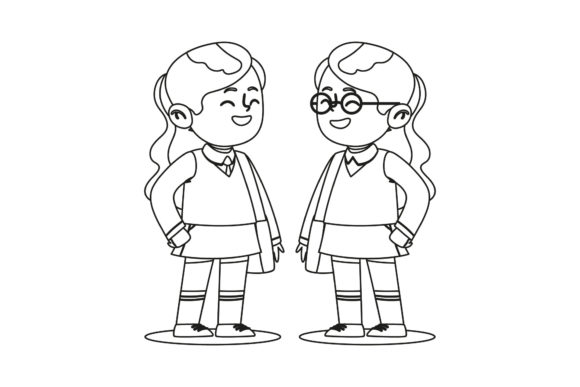
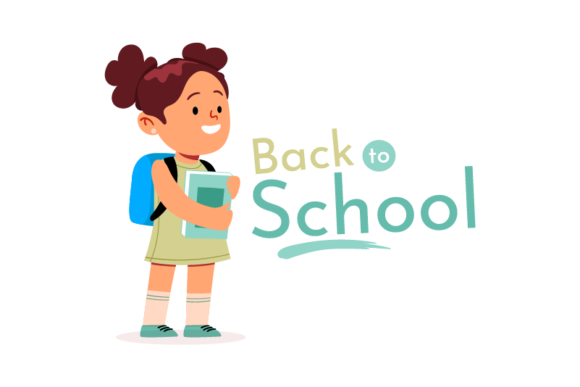
At its core, this collection is a bundle of digital design files centered on back-to-school themes. Each file shares the same canvas size (1920x1280 pixels), which is a standard proportion for many print and digital applications. The formats included cover a wide range of use cases: AI and EPS files for professional vector editing, SVG and DXF files for cutting machines or further vector manipulation, and JPG and PNG files for quick use in presentations, social media, or flyers. The collection is designed to save you the time of creating graphics from scratch, offering a foundation you can modify, combine, or repurpose as needed.
For anyone who has ever scrambled to create a last-minute school event flyer or a set of classroom decorations, having a cohesive design collection can reduce production time significantly. However, it is important to note that this is a collection of designs—not a set of editable templates with placeholders. You will need access to compatible software (such as Adobe Illustrator or a vector editing tool) to fully leverage the editable vector formats.
Why You Might Consider This Collection
Several practical reasons can drive interest in a pre-made design collection. First, time constraints are a common factor. If you need multiple back-to-school graphics quickly—for example, a series of social media posts, a classroom poster, and a parent newsletter header—having a cohesive set of files can eliminate the need to design each piece independently. Second, consistency matters. A unified design collection helps maintain a consistent visual identity across different materials, which can be especially valuable for school districts, PTAs, or educational brands.
Third, the variety of formats matters. Not every designer works with the same tools. By providing both raster (JPG, PNG) and vector (AI, EPS, SVG, DXF) options, the collection accommodates users who design on a desktop, those who use cutting machines for physical crafts, and those who need simple, ready-to-use images for digital publishing. This flexibility can be a deciding factor if you work across multiple platforms or collaborate with others who use different software.
Benefits and Practical Advantages
The most immediate benefit is the time saved in the initial design phase. Instead of conceptualizing and building a back-to-school graphic from scratch, you receive a finished design that you can customize with your own text, colors, or branding. The vector formats (AI, EPS) allow for scaling without loss of quality, making it possible to use the designs for large banners or small stickers alike.
Another advantage is the predictability of the canvas size. At 1920x1280 pixels, the aspect ratio is close to 3:2, which works well for many print sizes (such as 6x4 inches) and for digital displays, including slideshows, website headers, and social media cover images. This standardization reduces the guesswork involved in resizing and cropping, which can be a hidden time drain when working with mismatched assets.
Furthermore, the inclusion of SVG and DXF formats opens up possibilities beyond digital design. Teachers, for instance, could use these files with a cutting machine to create bulletin board letters, classroom labels, or student name tags. Small business owners selling educational products might use the designs for packaging, stickers, or promotional merchandise.
Tradeoffs and Limitations to Consider
No single design collection can meet every need, and it is important to evaluate the tradeoffs before purchasing. One consideration is the level of customization. While the files are editable, the degree of editing possible depends on how the original design was constructed. If the design uses complex clipping masks, embedded images, or grouped elements, you may need intermediate vector editing skills to make significant changes. Beginners might find the JPG and PNG formats most accessible, but these raster files offer limited editing flexibility.
Another tradeoff is thematic specificity. A back-to-school collection is seasonal by nature. If your work spans multiple themes throughout the year, this collection will have a narrow window of relevance. You may need additional collections for other seasons, which can add up in cost and file management effort. Additionally, because the collection is limited to six files, you are not getting an extensive library of assets. For projects that require a large volume of varied designs, you might need to supplement this collection with other resources or create additional graphics yourself.
File format availability is generally a strength, but it also means you need to be comfortable with several different types of files. If you only work with a specific platform (for example, Canva or PowerPoint), the AI and EPS files may not be directly usable without conversion. Always check that your software supports the formats you intend to use.
Expectations for Editability and Usage
When working with a design collection like this, it helps to set realistic expectations about what "easy to edit" means. Typically, the vector files will include layered elements such as backgrounds, illustrations, and text. You can change colors, reposition objects, delete or add elements, and adjust typography if you have the appropriate software. However, the designs are not likely to include placeholder text fields or preset style guides; you will need to apply your own fonts and sizing.
For those using the JPG or PNG versions, editing is largely limited to cropping, overlaying text, or applying filters in a photo editor. These formats are best suited for quick use where the existing design already meets your needs. If you plan to heavily modify the artwork, start with the AI or EPS files.
It is also worth noting the resolution. At 1920x1280 pixels, the raster files are adequate for web use and for small- to medium-sized prints. For large-format printing (posters larger than 24x36 inches), you may need to upscale, which can reduce sharpness. In such cases, working from the vector files is preferable because they can be scaled to any size without quality loss.
Scenarios Where This Collection Is a Strong Fit
This design collection works particularly well in several common situations. If you are a teacher preparing for the new school year and need decorations, a welcome sign, or a classroom schedule, the ready-made designs can be printed or displayed with minimal effort. Similarly, a PTA volunteer tasked with creating event flyers, donation requests, or volunteer sign-up sheets will appreciate having cohesive visuals that can be customized with event details.
Small business owners who sell educational products or services—such as tutoring centers, after-school programs, or educational supply shops—can use these designs for social media posts, email headers, or in-store signage. The consistent canvas size makes it easy to maintain a uniform look across different marketing channels.
Designers working on a tight deadline for a client in the education sector will also find value here. Instead of building a back-to-school theme from scratch, you can start with a polished design and focus your time on customizing it to match the client's branding. The vector formats give you the professional flexibility you need without starting from zero.
Situations Where Alternatives May Be Worth Exploring
There are also scenarios where a different approach might serve you better. If you need a very large number of unique designs—for instance, a full set of classroom worksheets, flashcards, and bulletin board sets—a single six-file collection may not provide enough variety. In that case, you might consider a subscription to a graphic design platform or a larger bundle that includes multiple themes and more assets.
If your work requires highly specific customization—such as detailed infographics, data visualizations, or complex layouts—a themed design collection may be too restrictive. Building your own templates from scratch or using a more flexible template system might be more efficient in the long run.
Another alternative worth considering is using a design tool with built-in templates, such as Canva, Adobe Express, or Figma. These platforms offer extensive libraries of back-to-school graphics, many of which are free or included with a subscription. While you may not get the same vector file formats, you gain a broader selection and the ability to collaborate online. The tradeoff is that you are tied to the platform's editing environment, which may not be ideal if you need offline files or specific formats for production.
Budget is another factor. A single design collection is typically low-cost, but if you require multiple distinct collections throughout the year, the cumulative expense may approach that of a subscription service. Evaluate how many seasonal designs you actually need before deciding whether individual collections or a broader resource makes more financial sense.
Practical Decision-Making Insights
To decide if the Back to School Design Collection meets your needs, start by listing the specific projects you plan to create. Write down the formats you need, the number of distinct designs required, and the level of customization you anticipate. If your list aligns with six or fewer graphics, and if the formats cover your primary output channels, this collection could be a time-saving choice.
Next, assess your editing skills and software. If you feel comfortable using vector editing programs like Adobe Illustrator, CorelDRAW, or Affinity Designer, you will be able to extract more value from the AI and EPS files. If you primarily use simpler tools, the JPG and PNG files will still be useful, but you should be prepared for limited editing options.
Also consider the timeline. If your back-to-school needs are immediate, a pre-made collection eliminates the design phase entirely. If you have more lead time, you might weigh the cost against the time it would take to create something similar yourself. For many people, the convenience of a ready-to-use design justifies the small investment, especially when the alternative is hours of work.
Final Considerations
The Back to School Design Collection is a focused, practical resource for anyone who needs cohesive, seasonally appropriate graphics without starting from scratch. Its strength lies in its format variety and standardized canvas size, which make it adaptable across print and digital use cases. At the same time, its limited scope means it works best for specific, contained projects rather than large-scale, diverse content creation.
For teachers, parent volunteers, small business owners, and freelance designers working on educational projects, this collection can be a straightforward way to produce professional-looking materials quickly. If your needs extend beyond six designs or require deeper customization, you may want to explore broader template libraries or design platforms. By evaluating your project scope, technical comfort, and output requirements, you can make a confident choice that fits your workflow and budget.